Frequently asked questions
Playing
How do I play?
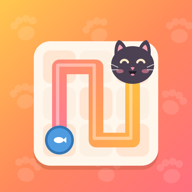
Start on bowl 1 and drag to draw the yarn across the board. The yarn has to pass through every square exactly once, visit the fish bowls in order (1, 2, 3…) and end on the last bowl. It goes up, down, left and right, never diagonally, and can't cross walls.
Every level has exactly one solution.
How do I fix a mistake?
Drag back along the yarn to shorten it, or tap any square on the yarn to cut it back to there. Undo takes the yarn back to the last bowl it reached (from a bowl, to the bowl before), and Clear takes it all the way back to bowl 1.
You can't lose: if the yarn gets stuck, undo and try another way.
How do hints work?
A hint draws the next part of the answer for you: up to 5 squares, or up to the next bowl. If your yarn has gone the wrong way, the hint first takes it back to where it was still right.
- You start with 3 hints.
- While you have fewer than 3, you get a free hint every 30 minutes, even when the game is closed.
- Watch an ad to get 1 more hint at any time, even if you already have 3.
- You can also buy hint packs.
What is the daily puzzle?
A new puzzle comes out every day, at midnight by your device's clock. Solve it every day to grow your streak. If you miss a day, your streak starts over.
Can I turn off sound or vibration?
Yes. In Settings you can turn sound, vibration and the timer on or off, pick a light, dark or automatic theme, and change the language.
How do I turn off reminders?
The game can remind you when a new daily puzzle is ready or when your streak is about to end. To turn reminders off:
- iPhone and iPad: Settings → Notifications → Paw Path.
- Android: Settings → Apps → Paw Path → Notifications.
Your progress
Is my progress saved? Can I move it to a new phone?
Your progress is saved on your device as you play. The game has no accounts yet, so it can't move your progress between devices.
If you restore your phone from a backup (iCloud, or Google backup on Android), your progress may come back with it. If you delete the game and have no backup, your progress is lost.
Purchases and ads
I bought Remove Ads but still see some ads
Remove Ads turns off banner ads and full-screen ads. The ads you can choose to watch for an extra hint stay, because they only play when you tap them.
How do I get Remove Ads back on a new phone?
Tap Restore Purchases in the game while signed in to the same Apple ID or Google account you bought it with. Hints you bought are kept on your device, so they can't be restored.
I paid but didn't get my item
Check that you're online, then close the game completely and open it again. For Remove Ads, also try Restore Purchases.
Still missing? Email us with your order number: Apple sends it in your receipt email, and Google Play order numbers start with GPA.
How do I get a refund?
Payments are handled by Apple and Google, so refunds are requested from them:
- App Store: reportaproblem.apple.com
- Google Play: Google Play refund help
How do I change my ad privacy choices?
- Europe, the UK and Switzerland: change your consent at any time in the game's Settings.
- iPhone and iPad: Settings → Privacy & Security → Tracking.
- Android: reset or delete your advertising ID in Settings → Privacy → Ads (or Settings → Google → Ads).
More in our privacy policy.
Still need help?
Email us and tell us what happened. It helps to include your phone model, its system version (iOS or Android) and a screenshot.
Email us